What Kleidos is, how it works, and what it does not do yet
Kleidos keeps your passwords encrypted on a small device and types them for you over Bluetooth, after you unlock it on the device itself. No app. No cloud. Nothing to sign up for.
By José M. Requena Plens, R&D · Firmware & Software Engineer. I build Kleidos on my own, and I wrote this page.
Each digit is dialed by how long the button is heldThe arc sweeps from 0 to 9 while it is held.
PBKDF2 derives the key40,000 iterations.
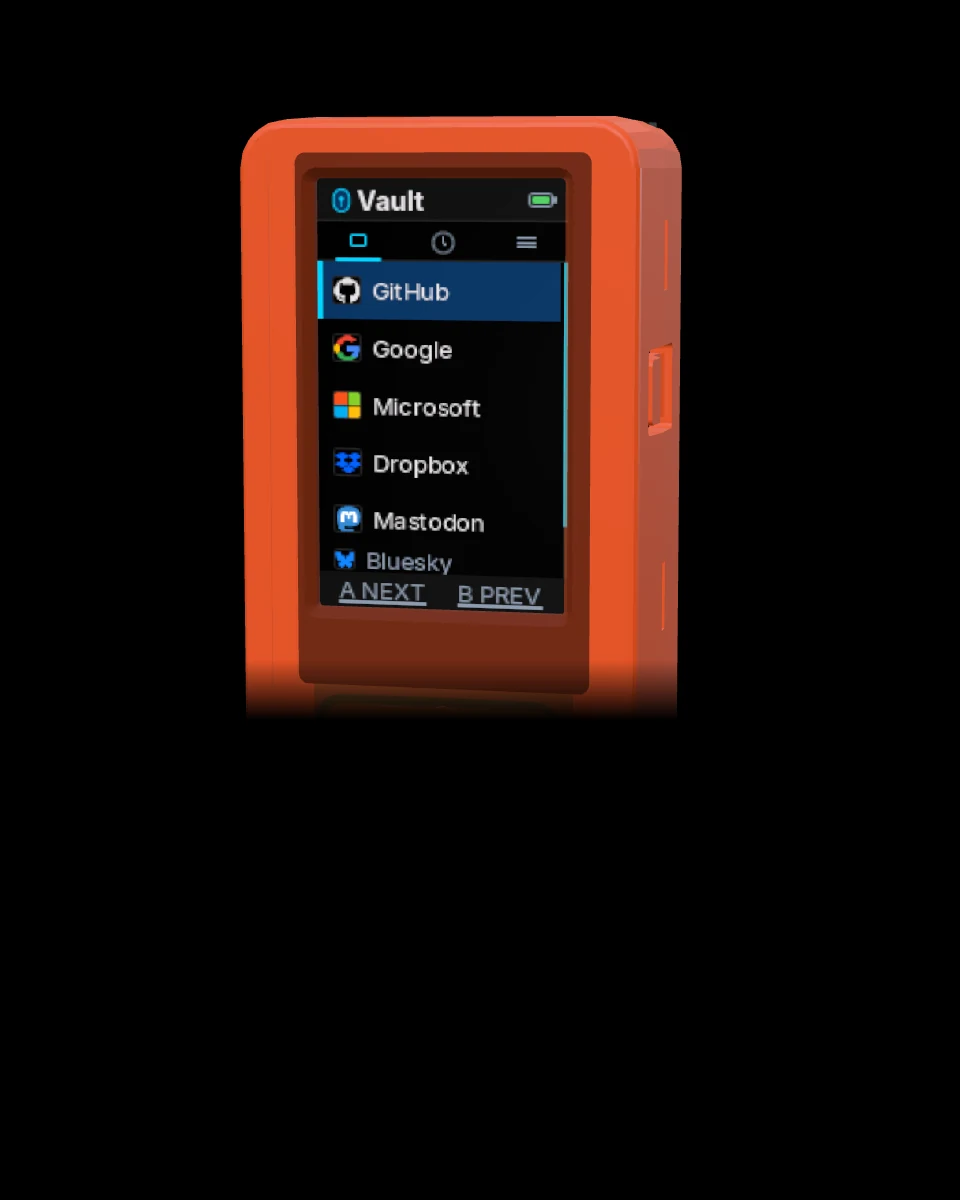
The vault opensOn its list of demonstration entries.
1Wake
2Dial
3Derive
4Open
The 4 steps
1
Wake. A press wakes it. The screen asks for the PIN.
2
Dial. Each digit is dialed by how long the button is held. The arc sweeps from 0 to 9 while it is held.
3
Derive. PBKDF2 derives the key. 40,000 iterations.
4
Open. The vault opens. On its list of demonstration entries.
Unlocking a device, from the locked screen to the vault list. I recorded the M5StickC Plus SE's own screen as it unlocked, with the key derivation it ships with; the case around it is drawn.
Updated
At a glance
Where it stands, what it runs on, how it keeps your passwords and what it costs, a line each.
Status
In development. Not released: there is nothing to download yet.
Boards
Nine, on the ESP32-S3 and the classic ESP32
Capacity
90 to 500 credentials and 30 to 50 two-factor (TOTP) codes, depending on the board
Vault
AES-256-CBC + HMAC-SHA256, its key derived from your PIN or passphrase by PBKDF2-SHA256
Link
A Bluetooth LE keyboard: it sends keystrokes and reads nothing
Server
None
Cost
Nothing to pay the project and no account to open: the firmware is GPL, and you buy one of the nine boards from whoever sells it.
From the PIN to the backup in five steps, each recorded on the screen of one of the boards it runs on.
1 Step 1. Unlock it
Enter your PIN on the device itself: 4, 6 or 8 digits dialed by holding one key on the models with buttons or a wheel, as at the top of this page, or 6 to 32 tapped on the touch models; the keyboard models take a passphrase instead, and the touch models let you choose.
A tap per digitOn a keypad the touch screen draws.
PBKDF2 derives the key175,000 iterations, on the device itself.
The vault opensOn its list of entries.
1Tap
2Derive
3Open
The 3 steps
1
Tap. A tap per digit. On a keypad the touch screen draws.
2
Derive. PBKDF2 derives the key. 175,000 iterations, on the device itself.
3
Open. The vault opens. On its list of entries.
Unlocking a touch board. I recorded the CoreS3 SE's own screen as it unlocked, with the key derivation it ships with; the case around it is drawn.
2 Step 2. Pick an entry
Scroll your vault and open an entry: the device draws the service's mark when it recognizes the name, and the password stays masked until you ask for it, then masks itself again.
The device also holds two-factor codes (TOTP). On the six boards with a clock chip they are on by default; on the three without one, the clock drifts through a sleep (on the T-Deck it starts unset after one), so codes stay off until you turn them on and the device has had a fresh time sync, from a network, from the browser that opened the panel, or from a satellite fix.
Scroll to an entryA service it knows is drawn with its mark.
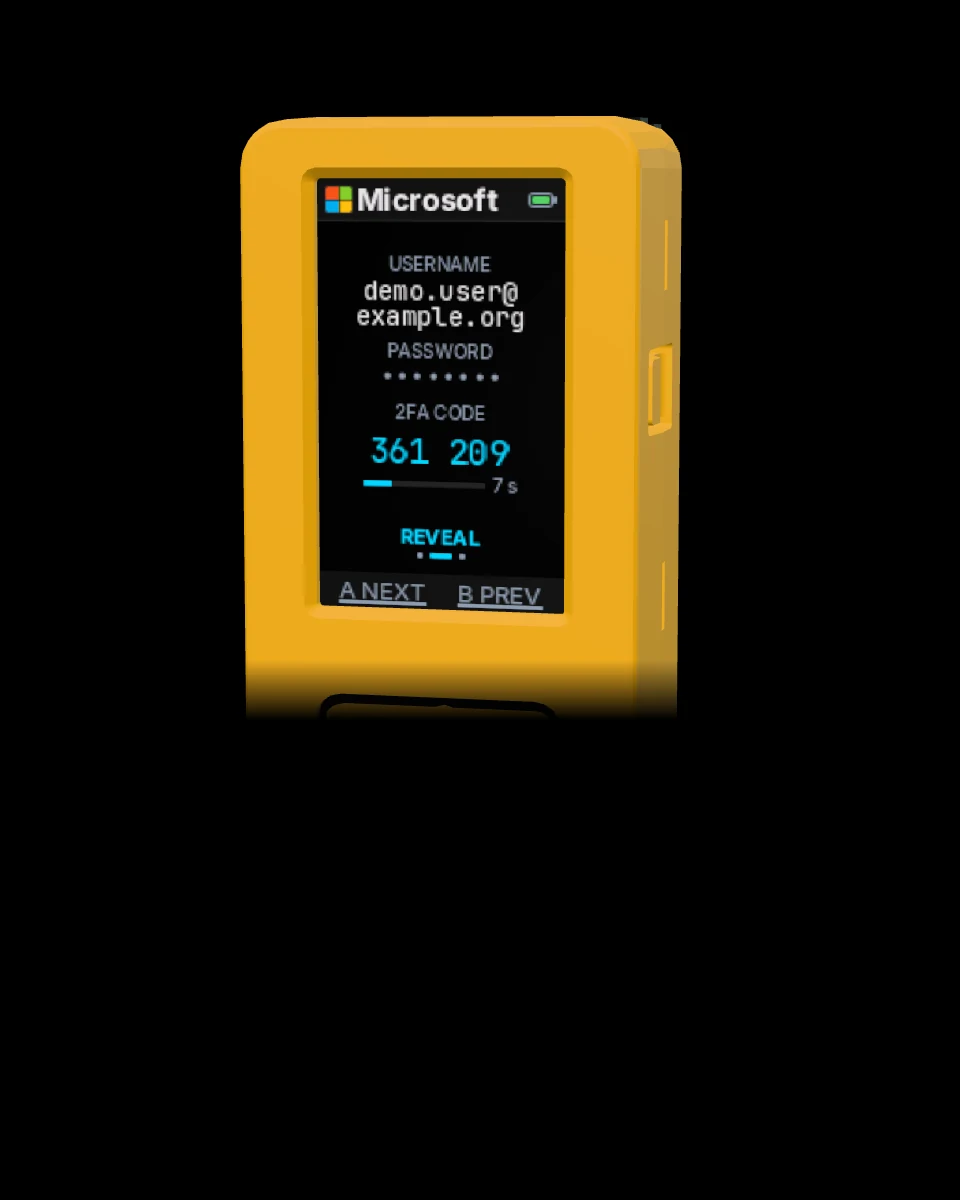
The entry opens on its cardUser name, masked password and the 2FA code.
The password shows for three secondsThen the device masks it again.
1List
2Entry
3Reveal
The 3 steps
1
List. Scroll to an entry. A service it knows is drawn with its mark.
2
Entry. The entry opens on its card. User name, masked password and the 2FA code.
3
Reveal. The password shows for three seconds. Then the device masks it again.
Opening an entry. I recorded the Plus2's own screen as an entry opened and its password showed for a moment; the case around it is drawn.
3 Step 3. Let it type
Choose what to send: Kleidos becomes a Bluetooth keyboard, types it into the computer or phone you paired, and shuts Bluetooth down again.
What the Bluetooth link does
It only sends: the computer or phone sees a keyboard, and the device acts on nothing the computer or phone sends back.
A new computer or phone pairs only after you confirm the same six digits on the device, and Bluetooth stays off until you send something or pair a new one. The security page says what the link carries and what it refuses.
You choose what it typesThe login first: user name, then password.
A new computer or phone pairs onceYou confirm its six-digit number on the device.
It types the user name and passwordAs a Bluetooth keyboard, which only sends.
Then it offers the 2FA codeHolding A types it into the site's next screen.
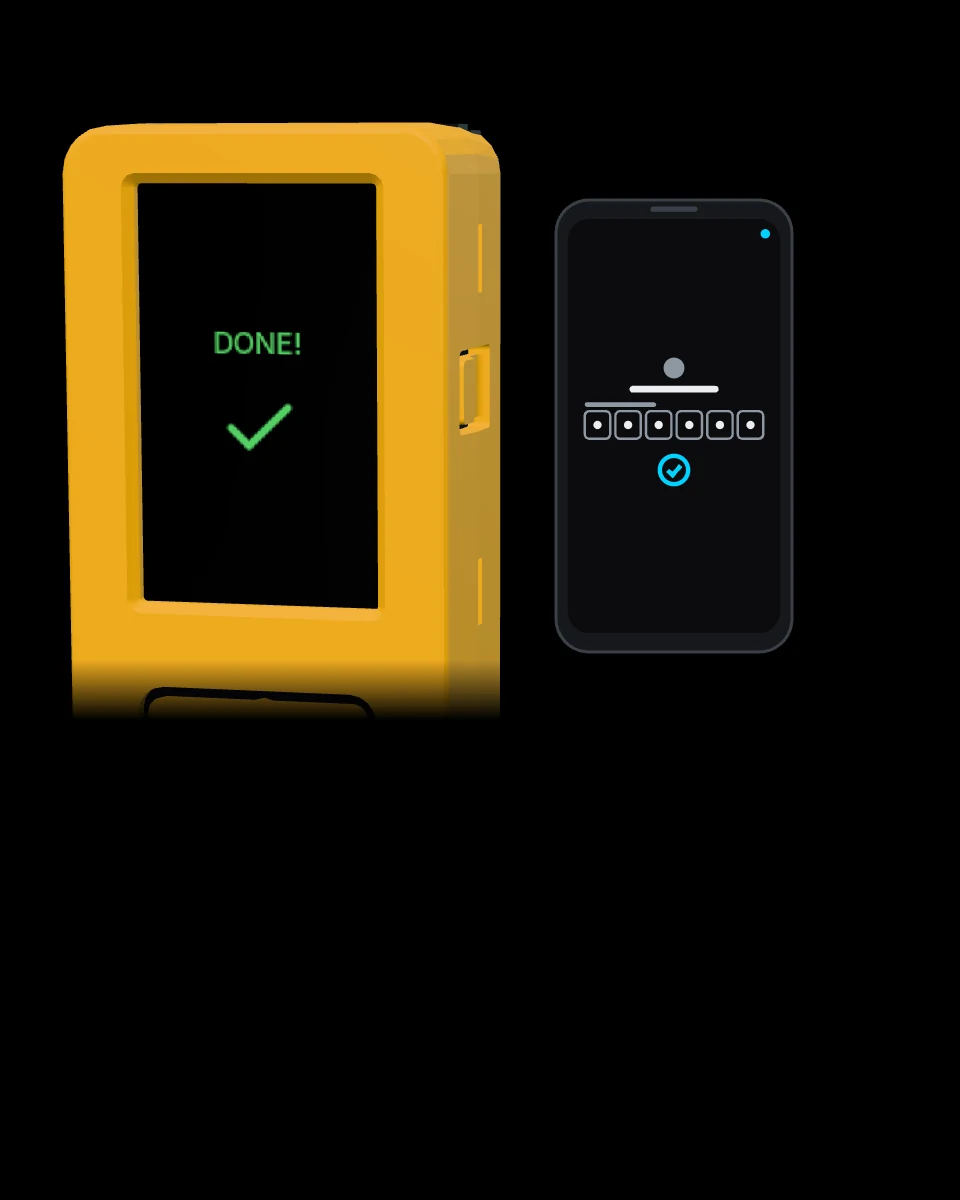
All typedThen Bluetooth goes off.
1Choose
2Pair
3Login
4Code
5Done
The 5 steps
1
Choose. You choose what it types. The login first: user name, then password.
2
Pair. A new computer or phone pairs once. You confirm its six-digit number on the device.
3
Login. It types the user name and password. As a Bluetooth keyboard, which only sends.
4
Code. Then it offers the 2FA code. Holding A types it into the site's next screen.
5
Done. All typed. Then Bluetooth goes off.
Typing a login and its 2FA code over Bluetooth. I recorded the Plus2's own screen as it typed into a test board of mine over Bluetooth; the phone or computer beside it is drawn, one mark per key that board received.
4 Step 4. Manage it from a browser
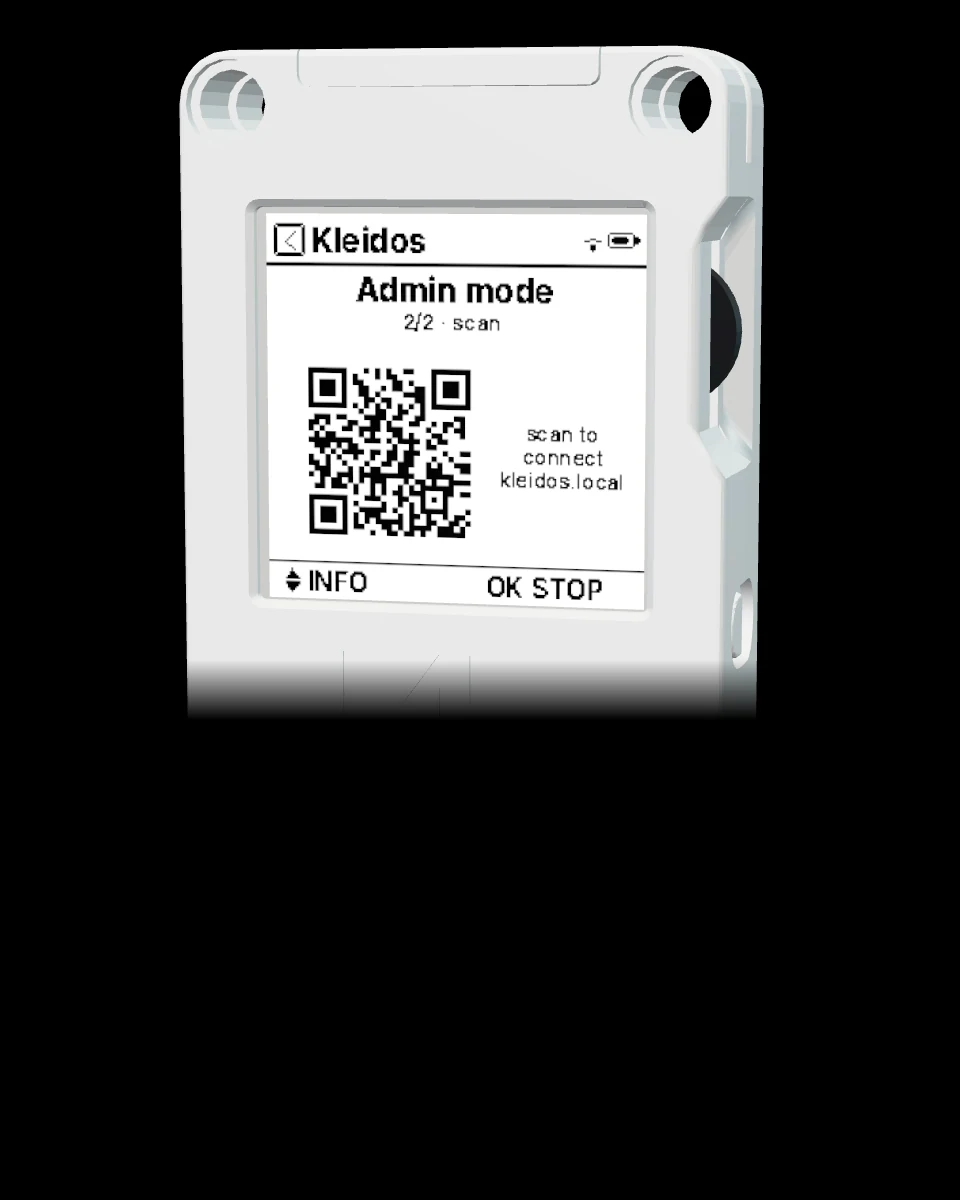
To add, import or export entries, open the admin panel: the unlocked device puts up its own Wi-Fi network and shows a QR code to scan, and the panel opens in your browser; the keyboard models can also edit entries on the device.
Admin mode starts on the deviceOnly while it is unlocked.
Its own Wi-Fi networkWPA3, no router.
Its QR code connects your phoneThe panel opens in a browser.
1Admin
2Wi-Fi
3Join
The 3 steps
1
Admin. Admin mode starts on the device. Only while it is unlocked.
2
Wi-Fi. Its own Wi-Fi network. WPA3, no router.
3
Join. Its QR code connects your phone. The panel opens in a browser.
Opening the admin panel. I recorded the CoreInk's own paper while it served the admin panel over a debug link, so its QR code names a placeholder network; the case around it is drawn.
5 Step 5. Back it up
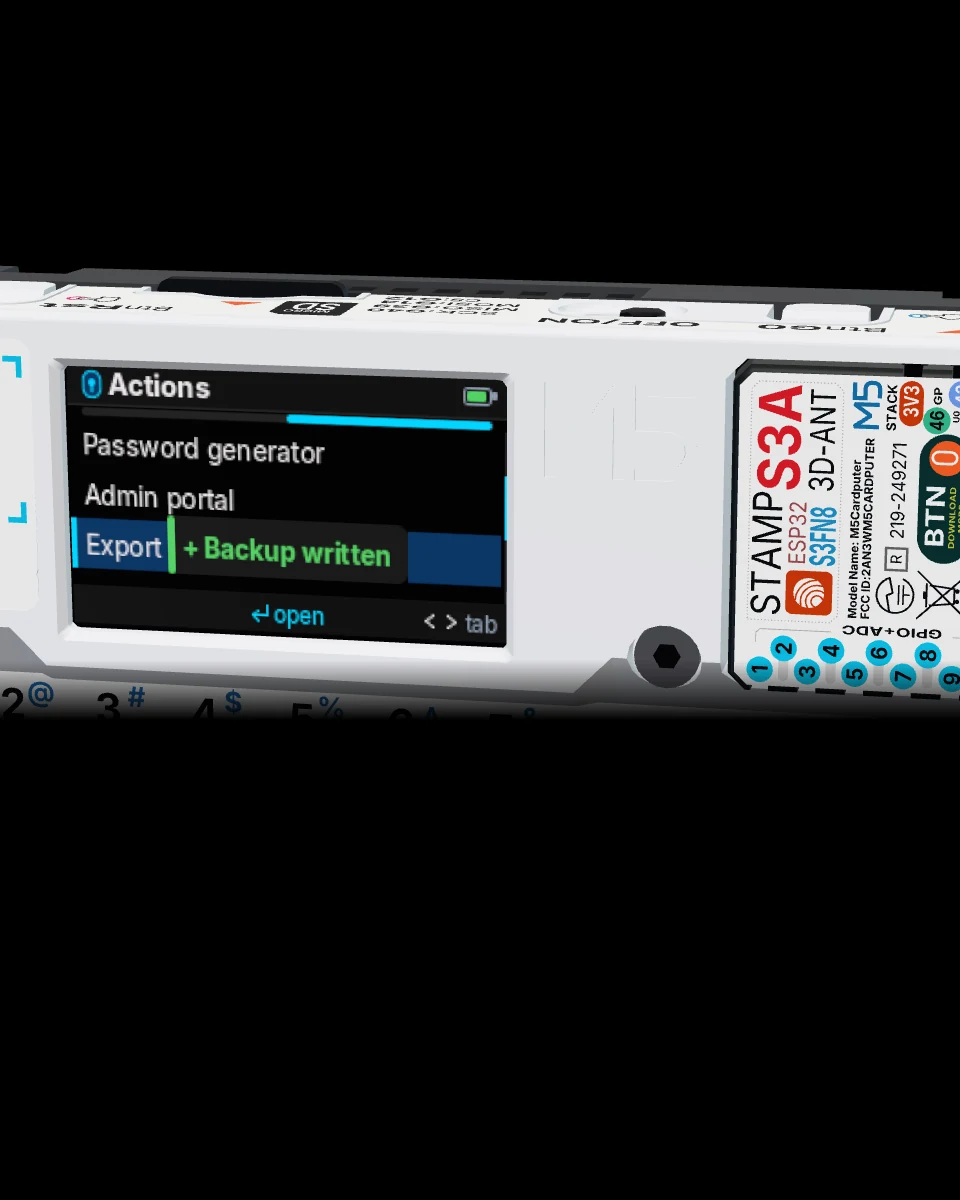
A backup is one encrypted file under a password of its own, written to a microSD card on the boards with a slot or downloaded from the admin panel; below, a backup written on one board is restored on another.
A microSD card goes inThen Export to SD, from its own menu.
The backup password, typed twiceWithout it the file cannot be opened.
PBKDF2 derives the backup's own key600,000 iterations, then the vault is sealed in chunks.
The backup is on the cardIt offers to wipe this device too; here, no.
1Card
2Password
3Seal
4Written
The 4 steps
1
Card. A microSD card goes in. Then Export to SD, from its own menu.
2
Password. The backup password, typed twice. Without it the file cannot be opened.
3
Seal. PBKDF2 derives the backup's own key. 600,000 iterations, then the vault is sealed in chunks.
4
Written. The backup is on the card. It offers to wipe this device too; here, no.
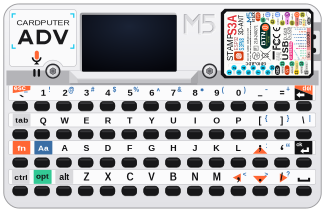
Writing an encrypted backup to a microSD card. I recorded the Cardputer ADV's own screen as it wrote the backup; the card and its way into the slot are modeled, since I recorded the board with the card already in.
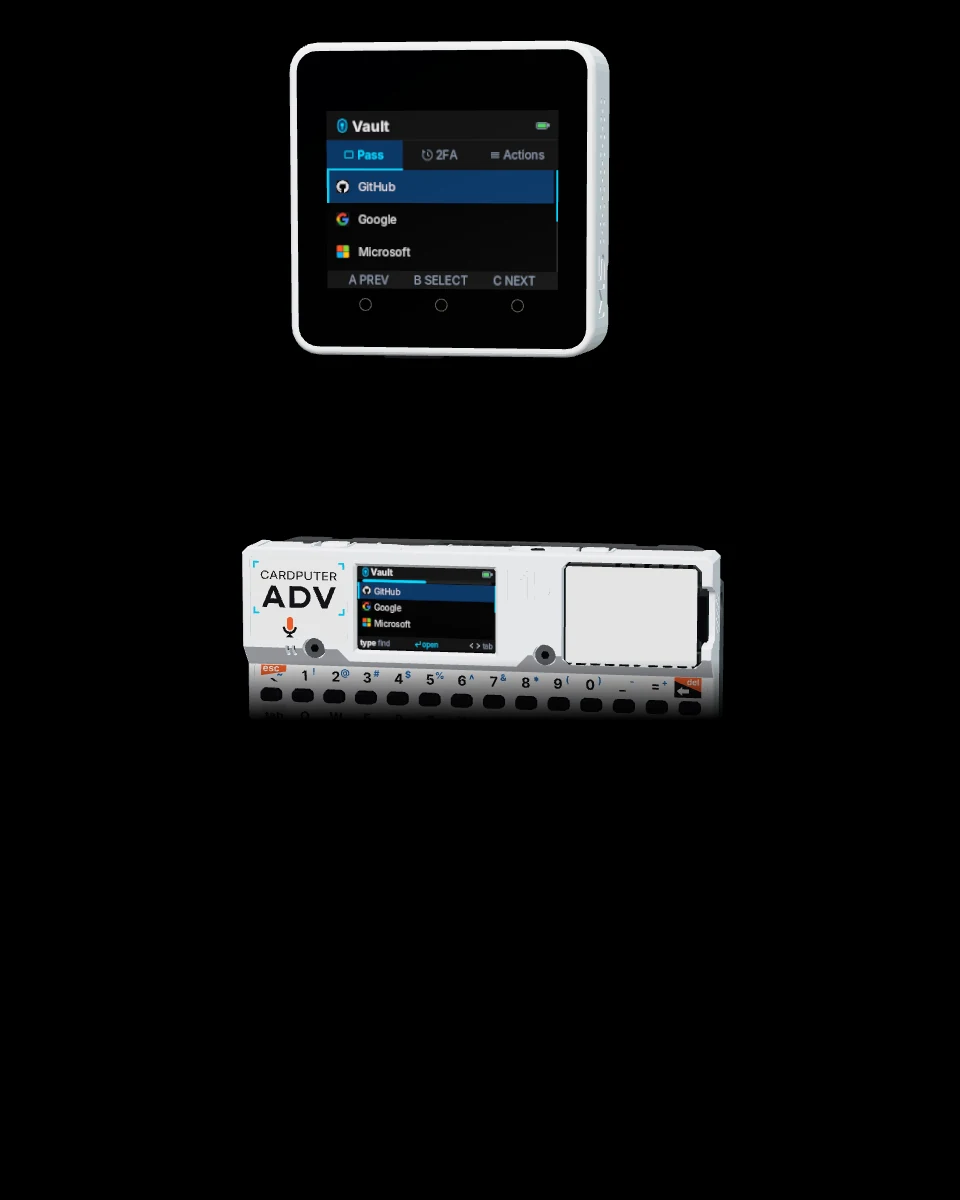
Import from SD asks for the backup passwordThe Core2's vault is empty.
PBKDF2 derives the backup's key againThe bar stays at 0 % for 600,000 iterations; then the file is decrypted.
The restore is doneThen it asks for its own PIN.
The same entries, on another boardFrom an ESP32-S3 to a classic ESP32, by card alone.
1Out
2Across
3In
4Import
5Key
6Restored
7Same
The 7 steps
1
Out. Out of the Cardputer. The same card.
2
Across. Over to a Core2 v1.3. A classic ESP32 board.
3
In. Into the Core2. From below.
4
Import. Import from SD asks for the backup password. The Core2's vault is empty.
5
Key. PBKDF2 derives the backup's key again. The bar stays at 0 % for 600,000 iterations; then the file is decrypted.
6
Restored. The restore is done. Then it asks for its own PIN.
7
Same. The same entries, on another board. From an ESP32-S3 to a classic ESP32, by card alone.
Restoring that backup on another board. I recorded the Core2 v1.3's own screen as it restored another export of the same demonstration vault; the card and its way between the boards are modeled, and the Cardputer ADV holds the first frame of its own recording, the one showing its list of entries.
The Kleidos vault is a few files on the device's own flash. Everything below is about what those files are worth to someone who takes them.
How your PIN reaches the records
PIN or passphraseTyped on the device itself, and stored nowhere.
PBKDF2-SHA256Over this vault's own random salt: 175,000 iterations on the ESP32-S3, 40,000 on the classic ESP32, about one and a half seconds either way.
Key-encryption keyChecks the HMAC on the wrapped vault key in meta.bin, then unwraps it. A new PIN rewraps only the vault key, and no record is touched.
Vault keyYields the working keys through HMAC-SHA256 under fixed labels: one that encrypts and one that authenticates. Neither is ever written to flash.
Each recordA version, a 16-byte IV, a 32-byte HMAC tag and the AES-256-CBC ciphertext. The tag is checked before anything is decrypted.
Every entry is encrypted and authenticated
A record is encrypted with AES-256-CBC and authenticated with HMAC-SHA256, encrypt-then-MAC. The tag is verified before anything is decrypted, and it covers the record's type, its slot and a counter, so a record cannot be moved to another slot, read as another type, or rolled back on its own. Password entries are all padded to the same 4 KB, so their size says nothing about what they hold. I explain why a vault file fails closed in an article on my own site.
Your PIN is never stored
The key is derived from your PIN with PBKDF2-SHA256 over a random per-vault salt: 175,000 iterations on the ESP32-S3 boards, 40,000 on the classic ESP32 boards, each sized to roughly a two-second unlock on the open builds. What the device stores is a verifier, not the PIN. Encryption, authentication and the unlock check use three separate keys. The two counts differ because the two chips compute the hash differently: the ESP32-S3 batches the work on its own hashing peripheral, about 8.8 microseconds an iteration; the classic ESP32 runs a hash written for this project out of fast internal memory, about 39. The same two seconds buy four times the iterations.
Lockout, then wipe
From the fourth wrong secret the device refuses another try for 30 seconds, from the seventh for 5 minutes. The tenth erases the vault, every Bluetooth bond and the admin network's identity. The attempt is written down before the secret is checked, so cutting the power does not buy a guess back.
Keys are wiped when the device locks
Locking and sleeping both stop the radios and then erase the keys and the decrypted lists from memory. The buffers that held them are overwritten on purpose, not just released.
Production builds are quiet
The release and hardened builds compile no serial console and no log calls at all, and a crash prints nothing: no banner, no registers, no backtrace. The chip's own mask-ROM boot line is all that remains, and it says nothing about your vault. Passwords, usernames and PINs are kept out of logs by design. What takes the place of a backtrace is a ring of crash addresses, readable only through the authenticated admin panel. It holds no stack contents, because a task stack at the moment of a crash can hold the PIN.
Hardened build
On the boards with 8 MB of flash or more the hardened build adds Secure Boot v2, flash encryption over the firmware and the vault, and encrypted settings, and ties the vault key to the individual chip, so a copy of the flash cannot be attacked away from the device. That copy still shows which blocks were written and how much.
The secret the vault key is tied to comes from a different mechanism on each family. On the classic ESP32 boards it is a random thirty-two-byte value kept in encrypted settings. On the ESP32-S3 boards it is a key inside the chip's own fuses, burned from the computer in a separate step before the first hardened boot.
The hardened build has been run and works: the vault opens on the device with the PIN, and a copy of its flash does not open away from it, even with the right PIN. I explain how the device-bound key is derived on my own site.
Everything in bulk (adding entries, importing from another manager, exporting an encrypted backup, updating the firmware) happens in a browser, on a network the device itself puts up. The device is the web server: nothing goes through an outside service. Four of the boards have a card slot, and on those the device can write and read the same encrypted backup by itself, with no browser and no network.
The panel is in development. It is already where entries are added, imported from another manager and exported as an encrypted backup, and it is still changing: where the device draws each service's mark, the panel prints the name as text.
It opens only from an unlocked device, and only on the device's own network: WPA3-SAE with hash-to-element, protected management frames required, no WPA2 fallback, one client at a time.
By default every session draws a new 20-character password and shows it as an ordinary Wi-Fi QR code on the unlocked screen. You can choose to pin one instead.
Inside that encrypted link the panel speaks plain HTTP, with a per-session token, a Host check that blocks DNS rebinding, an idle timeout and per-address rate limits. There is no TLS on top: the Wi-Fi encryption is the transport boundary.
Wiping the vault, deleting an entry or forgetting all pairings asks for your unlock secret again and counts toward the same lockout. A wrong one always draws the same refusal, whether it was merely wrong, the one that started a lockout, or the one that spent the last attempt.
Bluetooth and Wi-Fi never run at the same time. Every Bluetooth session has one owner that stops it, and the panel is reached only after that stop: a test in the repository pins which part of the firmware owns each session and where it ends.
Updates, on the boards with 8 MB of flash or more: you upload firmware from the panel behind a second password shown on the device. An image built for another board, or an older version, is refused, and an update that boots but never confirms itself rolls back on its own.
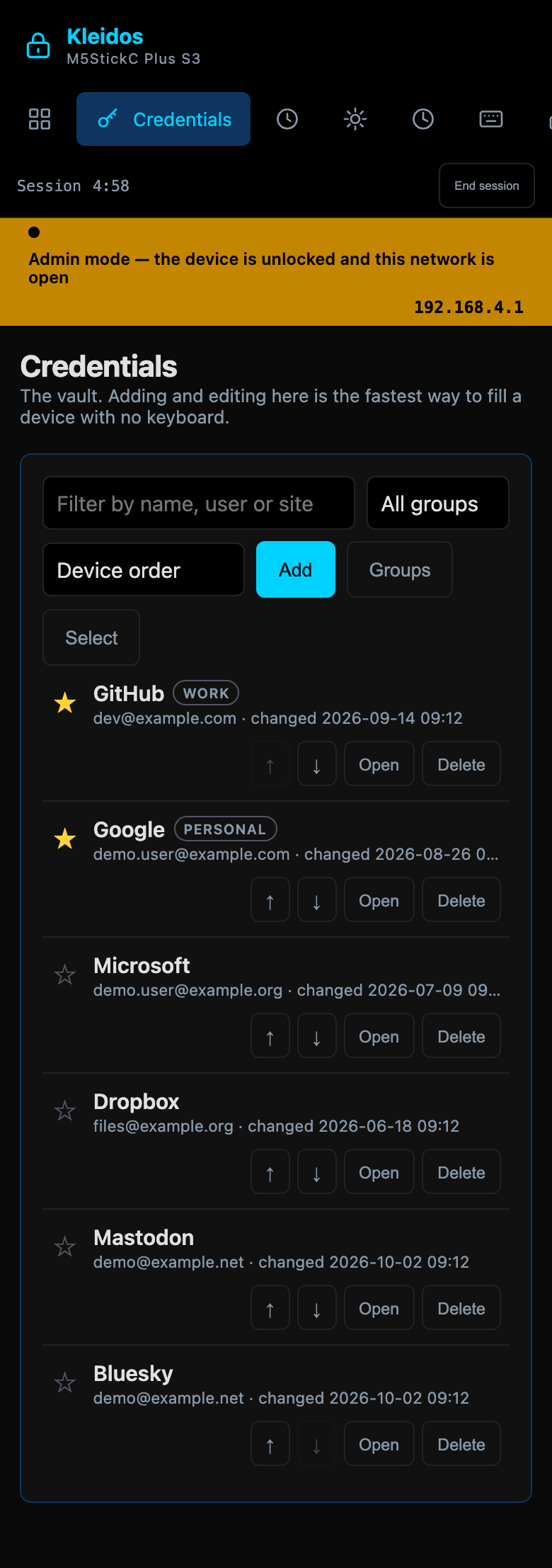
The vault in the panel: the same six demonstration entries the device shows.
I opened the panel's own page (the bytes the firmware serves) in a browser against a demo vault served from my computer instead of from a board, and captured it there. The walkthrough and the rest of the captures are with the other recordings.
Importing from another password manager
your export
1Password.1pux · CSV
BitwardenJSON · CSV
ChromeCSV
FirefoxCSV
KeePassCSV
LastPassCSV
Proton PassCSV
A preview in your browser
Read by the panel's page. Nothing has left your browser yet.
only what you approve
the device's vault
An export from 1Password, Bitwarden, Chrome or Edge, Firefox, KeePass, LastPass, or Proton Pass is read by the panel's page in your browser and turned into a preview. Only the entries you approve cross to the device's vault.
The devices
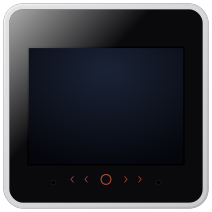
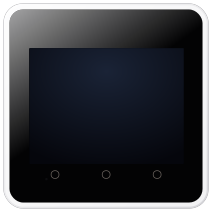
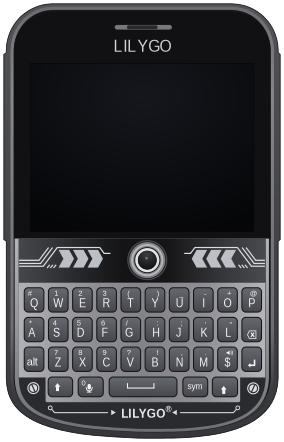
One firmware across nine boards, from a 24 × 48 mm stick with two buttons to a 73 × 115 mm unit with a keyboard. Which board you use changes how you unlock it and how much the screen can show; it does not change the vault. Six of the nine carry a clock chip, which two-factor codes rely on; the three that do not are ESP32-S3 boards.
Hardened build: Yes, on chip revision 3.0 or later
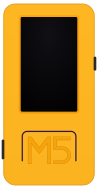
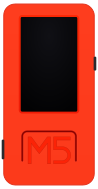
M5StickC Plus 1.1
Chip: ESP32
Input: Two buttons
Screen: 135×240
Clock: Battery-backed chip
Card slot: No
Credentials: 90
Two-factor codes: 30
Hardened build: Not available (4 MB flash)
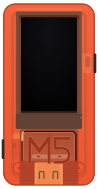
M5StickC Plus SE
Chip: ESP32
Input: Two buttons
Screen: 135×240
Clock: Battery-backed chip
Card slot: No
Credentials: 90
Two-factor codes: 30
Hardened build: Not available (4 MB flash)
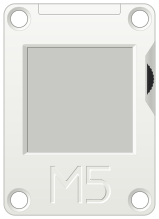
M5Stack CoreInk
Chip: ESP32
Input: Wheel
Screen: 200×200
Clock: Battery-backed chip
Card slot: No
Credentials: 90
Two-factor codes: 30
Hardened build: Not available (4 MB flash)
M5Stack CoreS3 SE
Chip: ESP32-S3
Input: Touch screen
Screen: 320×240
Clock: Battery-backed chip
Card slot: Yes
Credentials: 500
Two-factor codes: 50
Hardened build: Yes
M5Stack Core2 v1.3
Chip: ESP32
Input: Touch screen
Screen: 320×240
Clock: Battery-backed chip
Card slot: Yes
Credentials: 500
Two-factor codes: 50
Hardened build: Yes, on chip revision 3.0 or later
M5Cardputer ADV
Chip: ESP32-S3
Input: Keyboard
Screen: 240×135
Clock: Internal, drifts through a sleep
Card slot: Yes
Credentials: 250
Two-factor codes: 40
Hardened build: Yes
LILYGO T-Deck Plus
Chip: ESP32-S3
Input: Keyboard
Screen: 320×240
Clock: Internal, unset after every sleep
Card slot: Yes
Credentials: 500
Two-factor codes: 50
Hardened build: Yes
I do not recommend one. The product is the firmware, so choose from the cards and the table above.
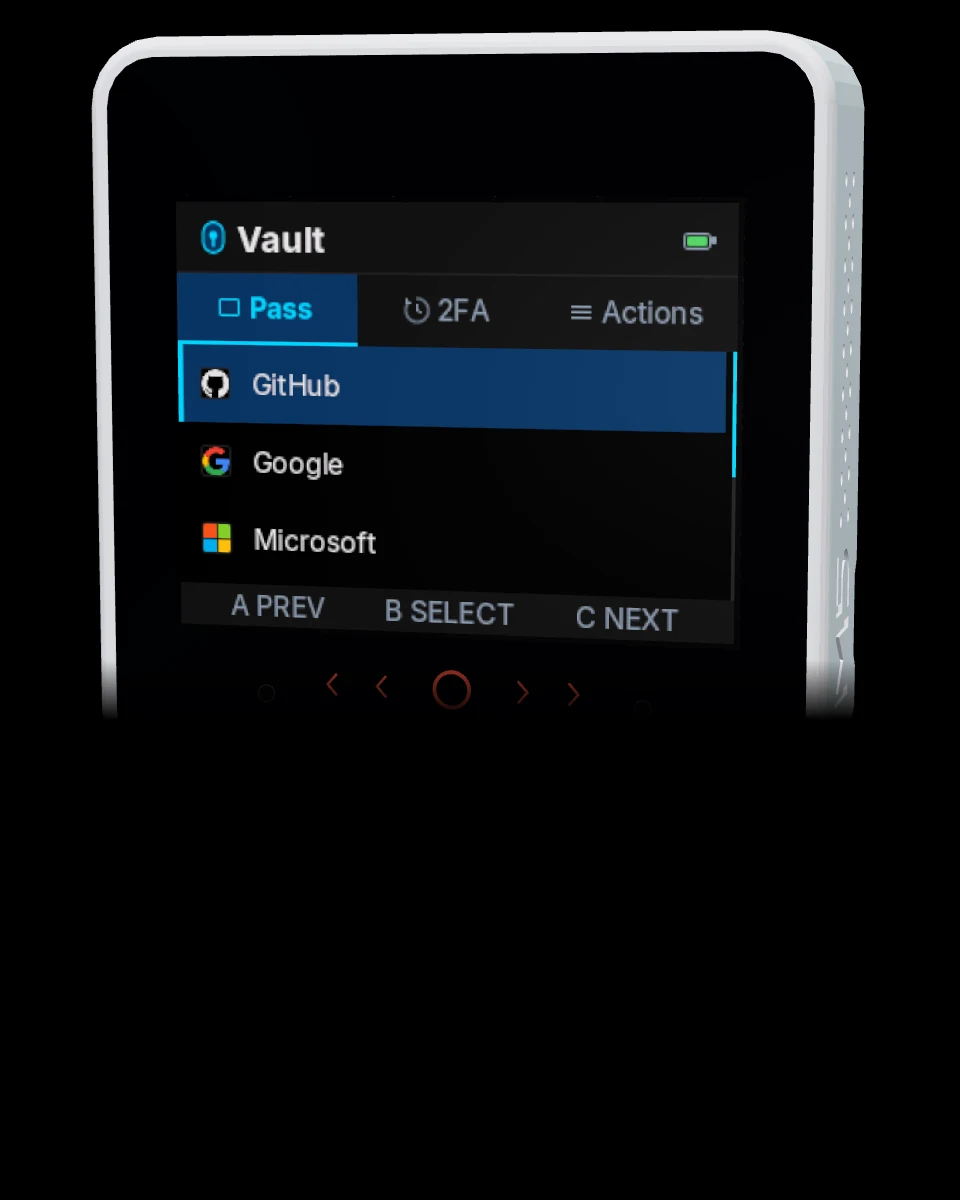
Each case is drawn from its own measurements, not from a photograph; the screen on it is a real capture of that board's vault list. Recordings of the real screens are on the recordings page.
These are five rows of the comparison; the whole comparison has every row, with the source of each cell, and also sets Kleidos beside the other password managers built on a small board.
From M5Stack and LILYGO, nine boards: four on the ESP32-S3, five on the classic ESP32
Its own key, on a Freescale Kinetis chip, in two models: six buttons and USB-A, or three buttons with USB-A and USB-C (the DUO)Where OnlyKey says it: features.md:10-15
Its maker saysIts own key, in six form factors: USB-A, USB-C, or USB-C with Lightning, two of them with NFCWhere YubiKey 5 says it: Technical Manual: form factors
Types over
Bluetooth LE HID only: it sends keystrokes and reads nothing
USB HID: the computer sees a keyboard; a phone through a USB OTG adapterWhere OnlyKey says it: features.md:19
Its maker saysA USB keyboard; a fixed password goes over a wired connection only, not NFCWhere YubiKey 5 says it: Technical Manual: OTP
Unlock
A PIN entered on the device: 4, 6 or 8 digits on the boards with buttons or a wheel (6 unless you choose another), any length from 6 to 32 on the touch boards; a passphrase of 8 to 32 characters on the keyboard and touch boards
A PIN of 7 to 10 digits on its own buttons; on the DUO the PIN is optional and can also be typed in the OnlyKey appWhere OnlyKey says it: features.md:27
Its maker saysA touch types a fixed password; a slot's access code, if set, only guards changes to the slot. FIDO2 asks for a PIN once you set oneWhere YubiKey 5 says it: Authenticator guide: OTP slots
At rest
AES-256-CBC + HMAC-SHA256, encrypt-then-MAC: the tag is checked before anything is decrypted
AES-256-GCM (FIDO2 data AES-256-CBC), in flash that the chip's flash security locksWhere OnlyKey says it: security.md:19
Unknown: not stated
What you pay
Nothing from the project; one of the supported boards, from US$19.00 to US$70.99 at its maker's store; each board's page links the listing and says the day I read it
Its maker saysUS$65.99 for either model, marked down from US$69.99Where OnlyKey says it: onlykey.io: OnlyKey
Its maker saysUS$58.00 for the YubiKey 5 NFC or 5C NFC at Yubico's US storeWhere YubiKey 5 says it: yubico.com: 5 NFC
Kleidos
Device: From M5Stack and LILYGO, nine boards: four on the ESP32-S3, five on the classic ESP32 (Overview: The devices)
Types over: Bluetooth LE HID only: it sends keystrokes and reads nothing (Overview: How it works)
Unlock: A PIN entered on the device: 4, 6 or 8 digits on the boards with buttons or a wheel (6 unless you choose another), any length from 6 to 32 on the touch boards; a passphrase of 8 to 32 characters on the keyboard and touch boards (Security: The PIN is short by default)
At rest: AES-256-CBC + HMAC-SHA256, encrypt-then-MAC: the tag is checked before anything is decrypted (Security: The vault at rest)
What you pay: Nothing from the project; one of the supported boards, from US$19.00 to US$70.99 at its maker's store; each board's page links the listing and says the day I read it (Overview: The devices)
Device: Its own key, on a Freescale Kinetis chip, in two models: six buttons and USB-A, or three buttons with USB-A and USB-C (the DUO) (features.md:10-15, security.md:19, security.md:204)
Pre-release, version 0.1.0. I have not had it audited by anybody independent.
The hardened build exists only for the six boards with 8 MB of flash or more; the three 4 MB boards have the open builds only.
On the open builds, someone who copies the flash can try PINs offline. A longer PIN (up to 32 digits on the touch models), or a passphrase on the models with a keyboard or a touch screen, slows that down; only the hardened build's chip binding stops it. Keep the device with you.
The admin panel trusts whoever joins its Wi-Fi network. Joining needs the one-time password on your unlocked screen, so scan its QR code yourself, in private.
Only the hardened build checks firmware signatures.
What people ask first
One paragraph each, with a link to the full answer. The figures are the ones the rest of the site gives, or another product's own documentation.
What is Kleidos?
Kleidos is a hardware password manager: firmware for nine small boards from M5Stack and LILYGO, on the ESP32-S3 and the classic ESP32. It keeps your passwords encrypted on the device and types the one you pick into your computer or phone as a Bluetooth keyboard, once you have unlocked it on the device with a PIN or a passphrase. There is no app, no cloud and no account; “How it works” goes through it step by step.
Which boards does Kleidos run on?
Kleidos runs on nine boards: four on the ESP32-S3 and five on the classic ESP32. They are four two-button sticks, an e-paper board driven by a wheel, two with a touchscreen and two with a keyboard, and, depending on the board, the vault holds 90 to 500 credentials and 30 to 50 two-factor codes. “The devices” gives each one's chip, input, screen, clock and capacity.
Can I download Kleidos?
Not yet. Kleidos is pre-release, at version 0.1.0, and no release is published, so there is nothing to install. I keep the repository private while I prepare the first release, and cutting that release is a step on the roadmap; I put no date on it.
Does Kleidos cost anything? Do I need an account?
Kleidos costs nothing and needs no account. The project sells no device, no license and no subscription: the firmware is licensed under the GNU GPL, version 3 or later, there is no server to sign up with, and what you pay for is the board, which you choose among the nine it runs on and buy from whoever sells it. “The devices” gives each one, and the comparison sets that beside what the other projects ask. There is nothing to install yet: the first release is still a step on the roadmap.
Is Kleidos open source?
Kleidos is licensed under the GNU GPL, version 3 or later, but its source is not public yet: I keep the repository private for now, and opening it is a step on the roadmap that comes before the first release. Until then these pages describe the code, and the code itself you cannot read.
How is Kleidos different from a YubiKey?
They do different jobs: Kleidos is a password manager, and a YubiKey is a security key. A YubiKey 5 signs in with FIDO2 and U2F, holds smart-card (PIV) and OpenPGP keys, and keeps up to 64 one-time-code accounts on firmware 5.7 and later. It can also type up to two static passwords of up to 38 characters, on a brief touch or a three-second one. Kleidos keeps 90 to 500 credentials, lets you pick one on its own screen and types it over Bluetooth LE; it does no FIDO2, U2F, PIV or OpenPGP. I read these figures in Yubico's documentation on 2 November 2026 and have not used a YubiKey to check them. The whole comparison sets Kleidos beside an OnlyKey and a YubiKey 5 row by row, with the source of every cell.
How is Kleidos different from an OnlyKey?
An OnlyKey also types stored passwords as a keyboard, is unlocked on its own keypad and wipes itself after 10 wrong PINs; Kleidos erases its vault after 10. The OnlyKey holds 24 accounts on six buttons, connects over USB, adds FIDO2, U2F and OpenPGP and, with no battery to keep the time, needs its app or its web app open to set the time for a TOTP code. Kleidos holds 90 to 500 credentials, types them over Bluetooth LE and computes the codes of 30 to 50 two-factor accounts on its own clock. They are off by default on the three boards without a clock chip and, once on, a code needs a recent time sync. I read these figures in the maker's documentation on 2 November 2026 and have not used an OnlyKey to check them. The whole comparison sets Kleidos beside an OnlyKey and a YubiKey 5 row by row, with the source of every cell.
Has anybody audited Kleidos?
No. Nobody independent has reviewed Kleidos: I wrote the firmware, and also the threat model, the control matrix and the register that describe it. The security page counts twenty-three threats, fifty-one controls and five of the risks I have accepted, each with its reason, and says what you cannot check while the repository is private.
What happens if I lose my Kleidos, or somebody steals it?
Whoever has it still needs your PIN or passphrase: Kleidos keeps the vault encrypted and unlocks it only on the device itself. After four wrong PINs it makes you wait before the next try, after seven it makes you wait longer, and at ten it erases the vault, every Bluetooth bond and the admin network's identity. The count survives a power cut, because it is written before the PIN is checked. The security page gives the whole answer, and what those waits do not cover. On the open builds, someone who copies the flash can try PINs offline. A longer PIN (up to 32 digits on the touch models), or a passphrase on the models with a keyboard or a touch screen, slows that down; only the hardened build's chip binding stops it. Keep the device with you.
How long does a board running Kleidos last on one charge?
I have an estimate for one board only: with Kleidos on the LILYGO T-Deck Plus and the 2,000 mAh cell I measured it with, a charge lasts about 11 to 21 days, my estimate from the currents I measured. For the other eight boards I give no estimate yet, and the measurements page says why for each.
Follow and subscribe
There is nothing to install and nothing to sign up for. Pick whichever of these you already read.
There is no repository to watch yet: I am keeping the source private while I prepare the first release, so the feed and the two accounts are the whole of it.
Support it
I pay for this out of my own pocket, and you have just scrolled past the receipt.
The nine boards above are development hardware. I bought every one of them to make Kleidos run on it, and each one needed its own panel driver, its own power controller and its own layout on a screen of its own size; four of them have their recordings on the recordings page. That is the expense. The hours explain why it has taken this long, but they are context, not an invoice.
Nothing here is for sale. There is no release, there is nothing to download, and the repository is not open yet. If you want to support the project anyway, these are the two places:
A donation gets you nothing: no tier, no reward, no early build, no priority on anything, and no name on a list. I would rather it stayed a donation than became a purchase.
And if you would rather spend money on hardware than on me: the boards come from M5Stack and from LILYGO, who each sell them from their own shop, and they also turn up at electronics and general retailers, Digi-Key and Amazon and AliExpress among them. When there is a release, flashing it is free. I sell nothing and I take nothing from anybody who does.